
Coach
Ask it. It has read your week.
Targets, intake, sessions, weight trend — already in the conversation.
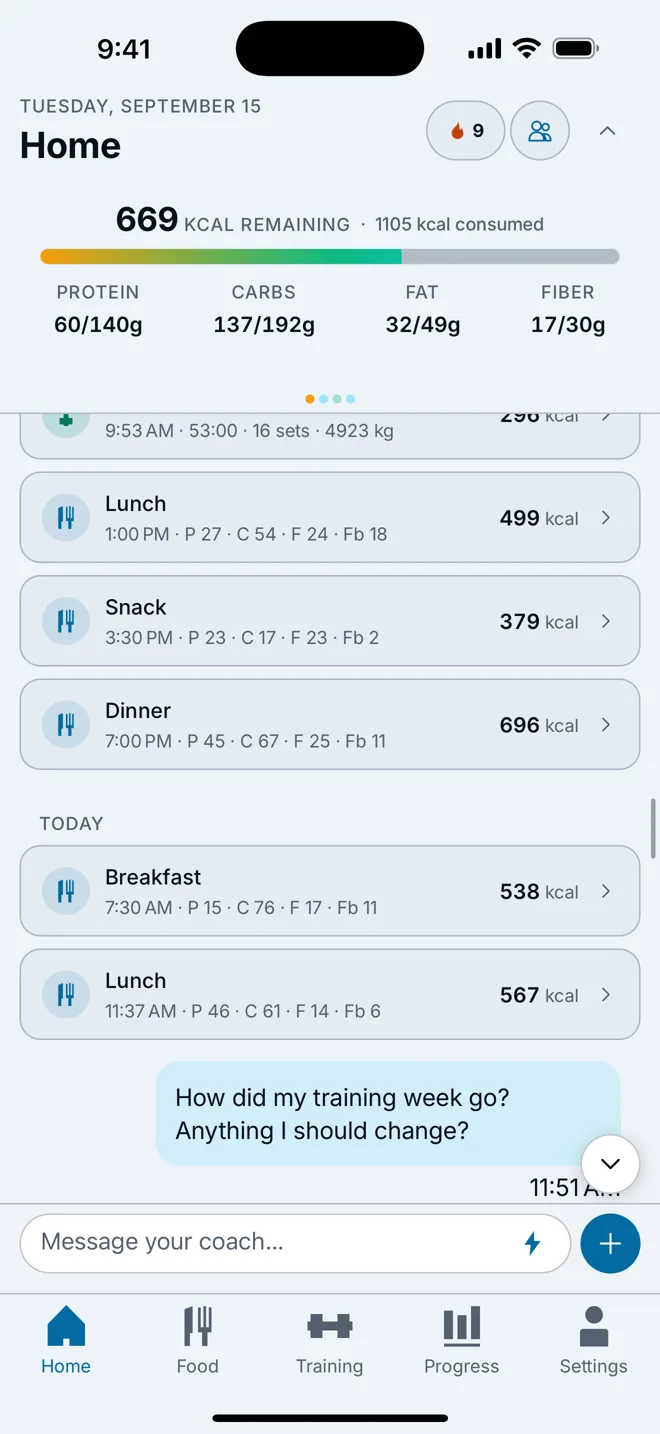
“Bench 4×8 at 80 kg, then rows.”
One sentence, and the session is logged. The coach drafts WODs and goal changes the same way — you approve them before anything is saved.
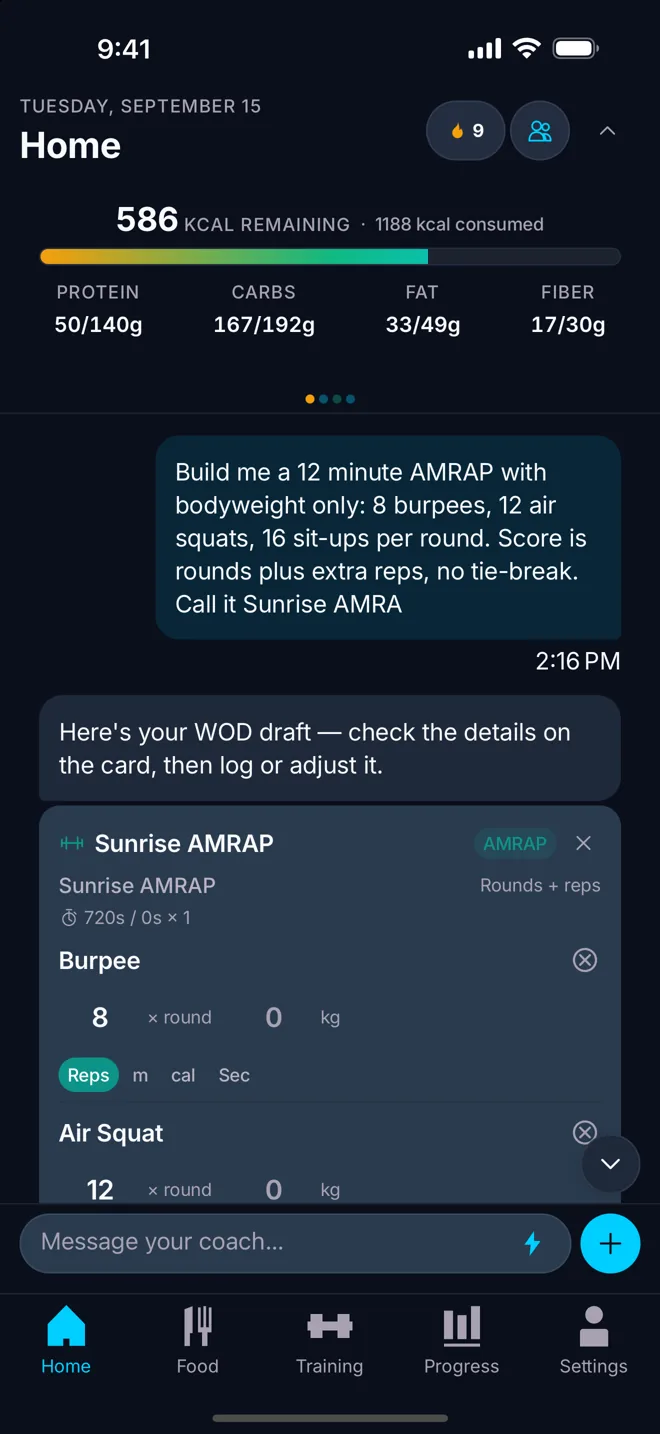
It answers with your numbers, not general advice.
Daily targets, what you have eaten, the last sessions and the weight trend are in front of it before you type.
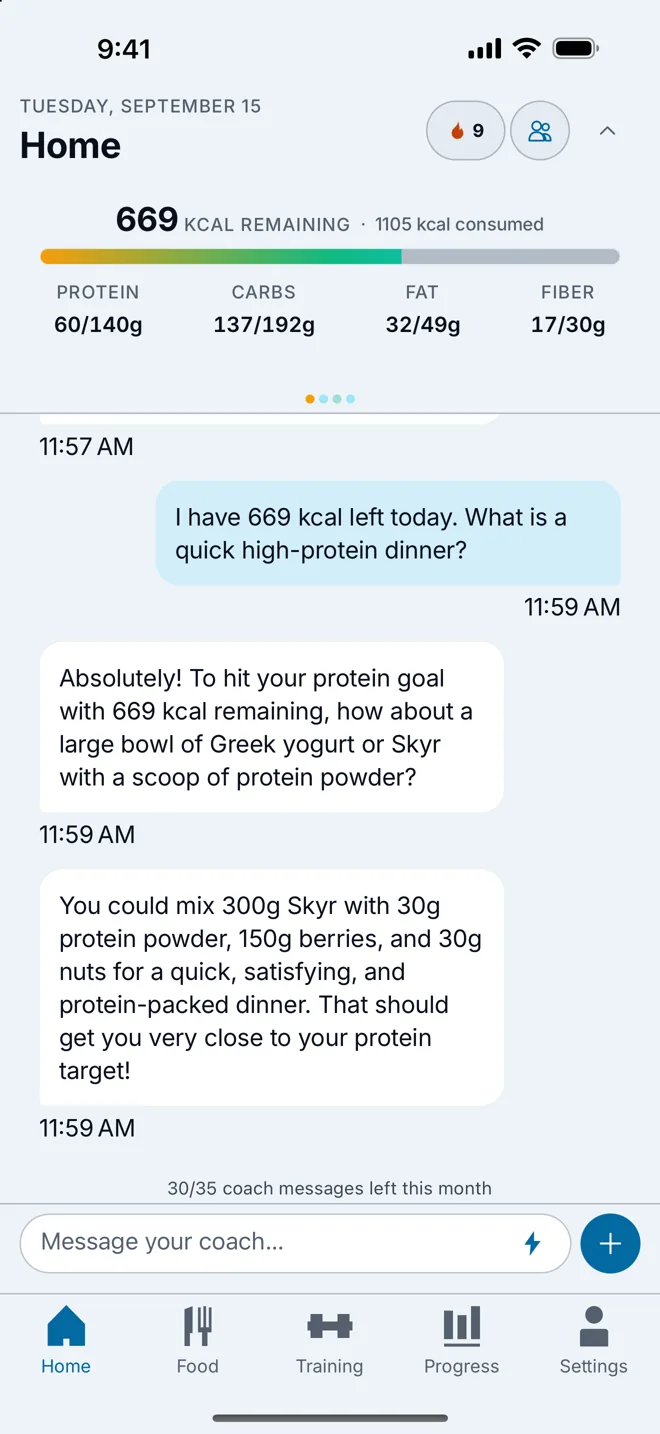
Health signals only if you share them.
Steps, active energy, sleep, resting heart rate, HRV and other apps' workouts each have their own switch, and every one starts off.
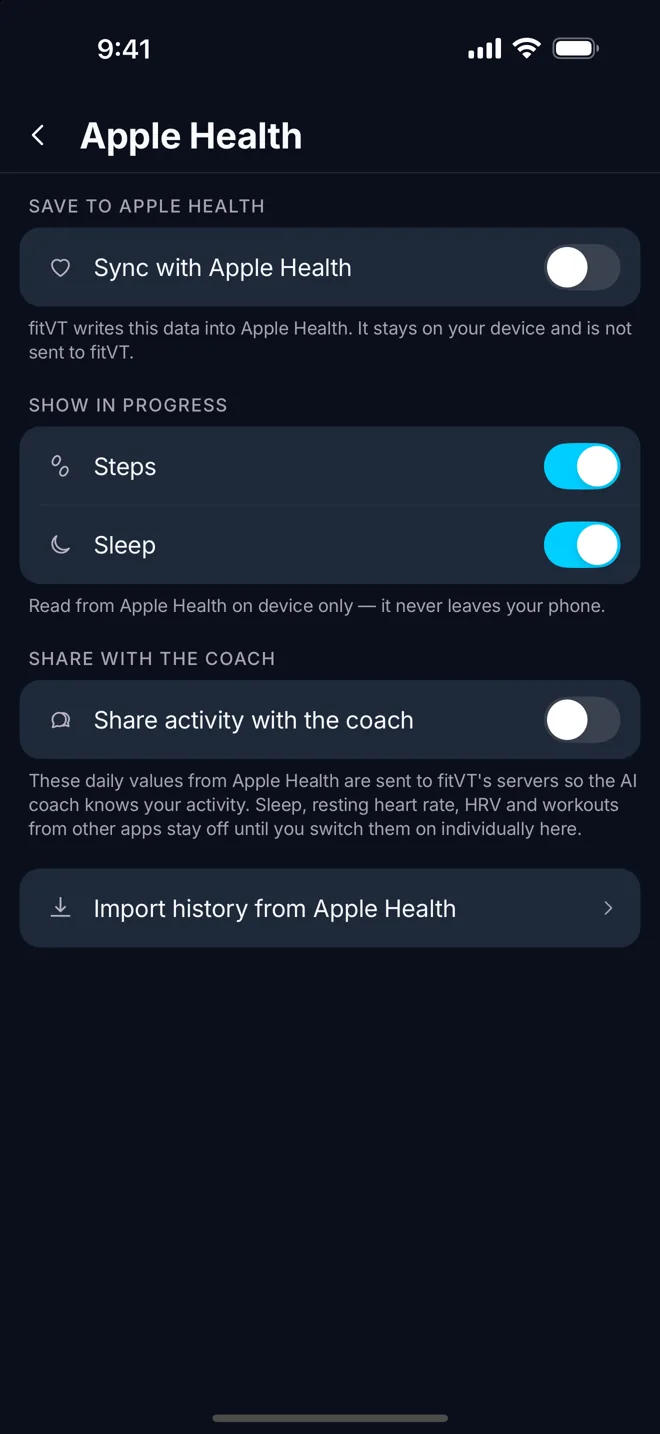
Weekly check-up
One thing to work on, not a wall of charts.
Logs a workout
From plain language, in your language.
Drafts a WOD
Reviewed on a card before it is saved.
Drafts a goal change
Calories, macros or pace — you accept it.
4
Languages
English, German, French and Italian.
Consent first
Nothing is sent to an AI before you agree.
The coach in detail
Everything on this page is in the app today.
It starts the conversation already informed
Most chat assistants make you re-explain yourself. This one does not. Before your message is sent it already has your daily calorie and macro targets, what you have eaten today, your recent training sessions, and the direction your weight has been moving over the last weeks. Ask “am I eating enough protein?” and the answer contains grams, not a paragraph about protein in general.
You can reach it from the Home screen for a quick question or open it full screen for a longer conversation. It answers in whichever of the four languages you use the app in.
Longer horizons are available too: a 30- and 90-day view sits behind the daily one, so questions about a plateau get looked at over the right period rather than the last three days.
It can do the boring part
Tell the coach “bench 4 by 8 at 80 kilos, then rows” and it writes the strength session into your log. Describe a workout you did at a box and it drafts the WOD, with the parts, format and score type filled in. Say that you want to lose a little faster and it drafts a goal change — new calories, new macros, a new pace.
Every one of those arrives as a card you look at before anything is written. Nothing is logged, changed or deleted because the model decided it was a good idea; the draft is a proposal and you are the one who taps save.
Once a week it offers a check-up: what the seven days looked like, and the single thing most worth changing next week. That is deliberately one thing. A list of twelve is the same as no list at all.
Health signals are opt-in, one at a time
If you want the coach to know that you slept five hours and walked 3,000 steps, you can tell it — by switching that signal on in Settings under Apple Health. Steps, active energy, sleep, resting heart rate, heart-rate variability and workouts recorded by other apps each have their own switch, and each one is off until you turn it on.
Switching a signal off stops it immediately and on the server, not just in the interface. Apple Health data that you have not shared with the coach stays on your device and is only used to draw your own charts.
What the signals buy you is context the food diary cannot see. A week of short sleep and a rising resting heart rate is the difference between “you are under-eating” and “you are under-recovered”, and the coach can only tell those apart if it is allowed to look.
Consent, limits and what it is not
Before the first conversation you are asked, explicitly, to agree to your messages being processed by an AI provider. Until then the coach does not run at all. The same applies to the AI photo scan and the AI body-fat estimate, which have their own consent step because they involve a photograph.
Free accounts have a monthly allowance of coach messages; Premium removes the limit. The allowance resets each month, and everything else about the coach — the context it reads, the actions it can draft, the languages it speaks — is identical on both plans.
The coach is a training and nutrition assistant. It is not a doctor, it does not diagnose anything, and it stays inside that subject on purpose: questions well outside training, food and progress are declined rather than answered badly.
It is also careful with arithmetic. Totals, averages and deltas across a week are calculated from your records and handed to the model rather than worked out by it, because a coach that quotes the wrong calorie number is worse than one that quotes none.